
HTML or HyperText Markup Language
HTML is a standardized system for marking up text documents with structure and formatting information. It is used to create and structure content on the web, and is the foundation of all web pages.
Our goals are to know how to:
- Write a tag, an attribute
- Understand the tree structure
- Choose semantic tags
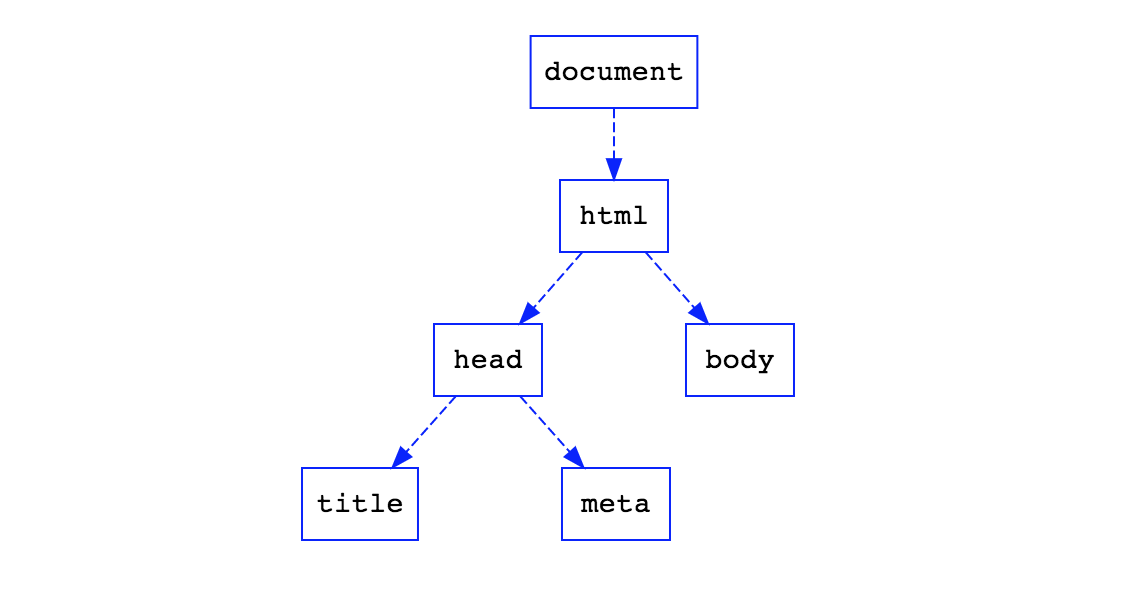
Definitions we’ll know:
- tag
- attribute
- DOM
Here are the basic building blocks of HTML:
Elements
HTML is made up of elements, which are represented by tags. Each element has an opening tag and a closing tag, with the content of the element placed in between. For example, the element for a paragraph would be represented by the <p> tag, and the content of the paragraph would be placed between the opening <p> tag and the closing </p> tag.
Attributes
Elements can have additional information added to them through attributes. These are placed within the opening tag of the element and are used to specify additional details about the element. For example, the class attribute is used to specify a class name for an element, it is mainly used to group elements that have similar characteristics or that will be styled in a similar way using CSS.
Headings
Headings are used to break up the content of a page into sections and sub-sections. There are six levels of headings, ranging from <h1> (the largest and most important) to <h6> (the smallest and least important).
Paragraphs
Paragraphs are used to contain blocks of text. They are represented by the <p> element.
Links
Links, or hyperlinks, are used to connect one webpage to another. They are created using the <a> element, which stands for anchor. The href attribute is used to specify the destination of the link.
Images
Images can be added to a webpage using the <img> element. The src attribute is used to specify the location of the image file, and the alt attribute is used to provide a text alternative for the image.
Lists
There are two types of lists in HTML: ordered lists (represented by the <ol> element) and unordered lists (represented by the <ul> element). Lists are used to group related items and can be nested to create sub-lists.
Tables
Tables are used to organize data into rows and columns. The <table> element is used to create a table, and rows are added using the <tr> element. Cells within the rows are added using the <td> element (for standard cells) or the <th> element (for cells that contain headings).
These are just a few of the basic building blocks of HTML. There are many other elements and attributes that can be used to create and structure content on a webpage.